
FoodLog: AI 식사 기록 FoodLog: AI Meal Diary
식사 기록,
AI로 간편하게
Food logging, made easier with AI
사진이나 짧은 설명으로 시작하세요. AI가 추정한 열량을 확인하고, 내 식사에 맞게 고쳐서 기록해요. Start with a photo or a few words. Review the calories AI estimates, adjust them to match your meal, and save.
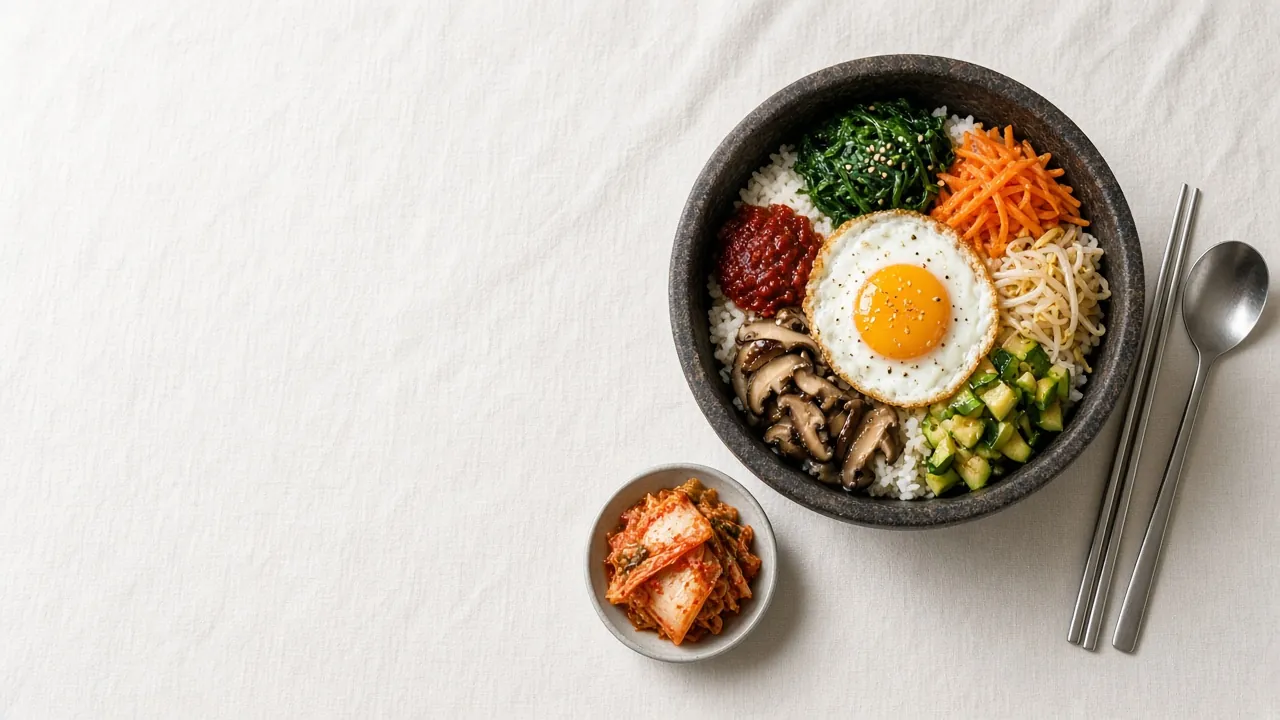
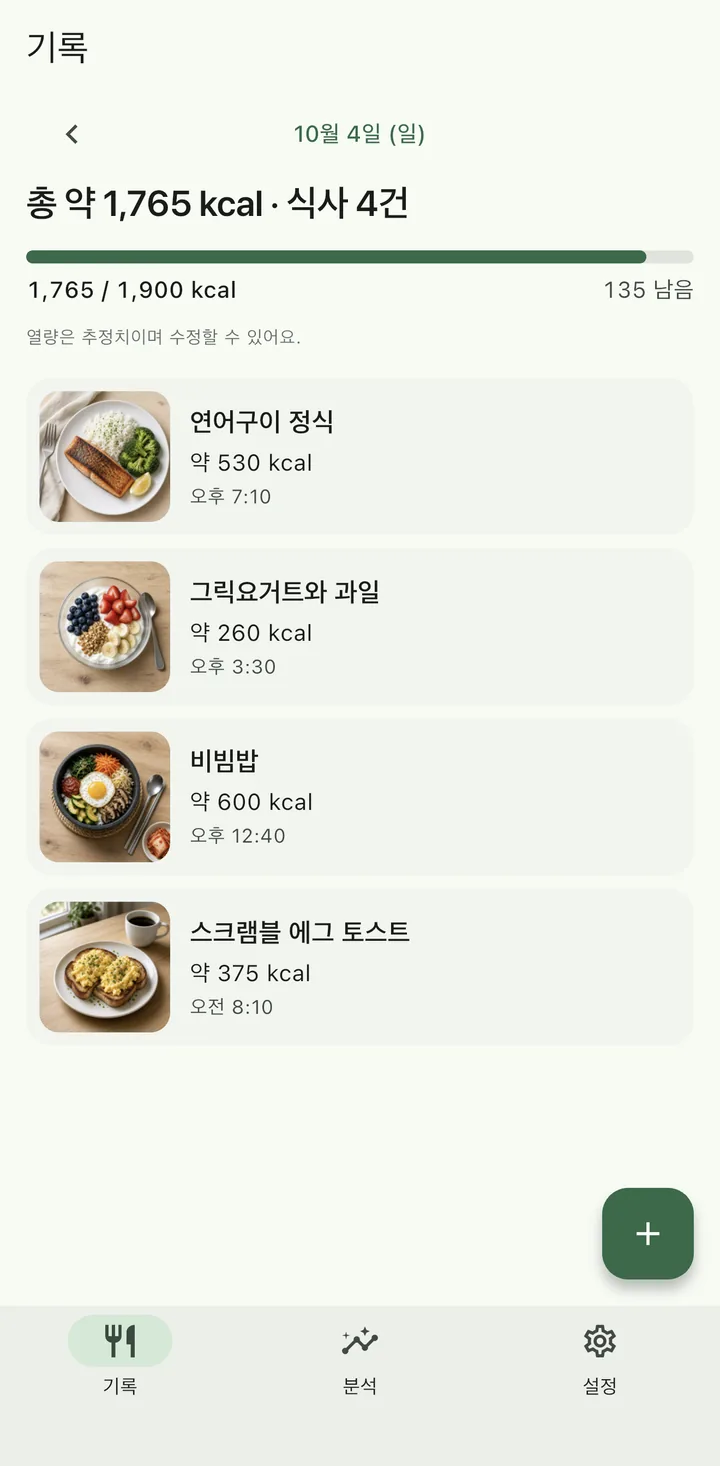
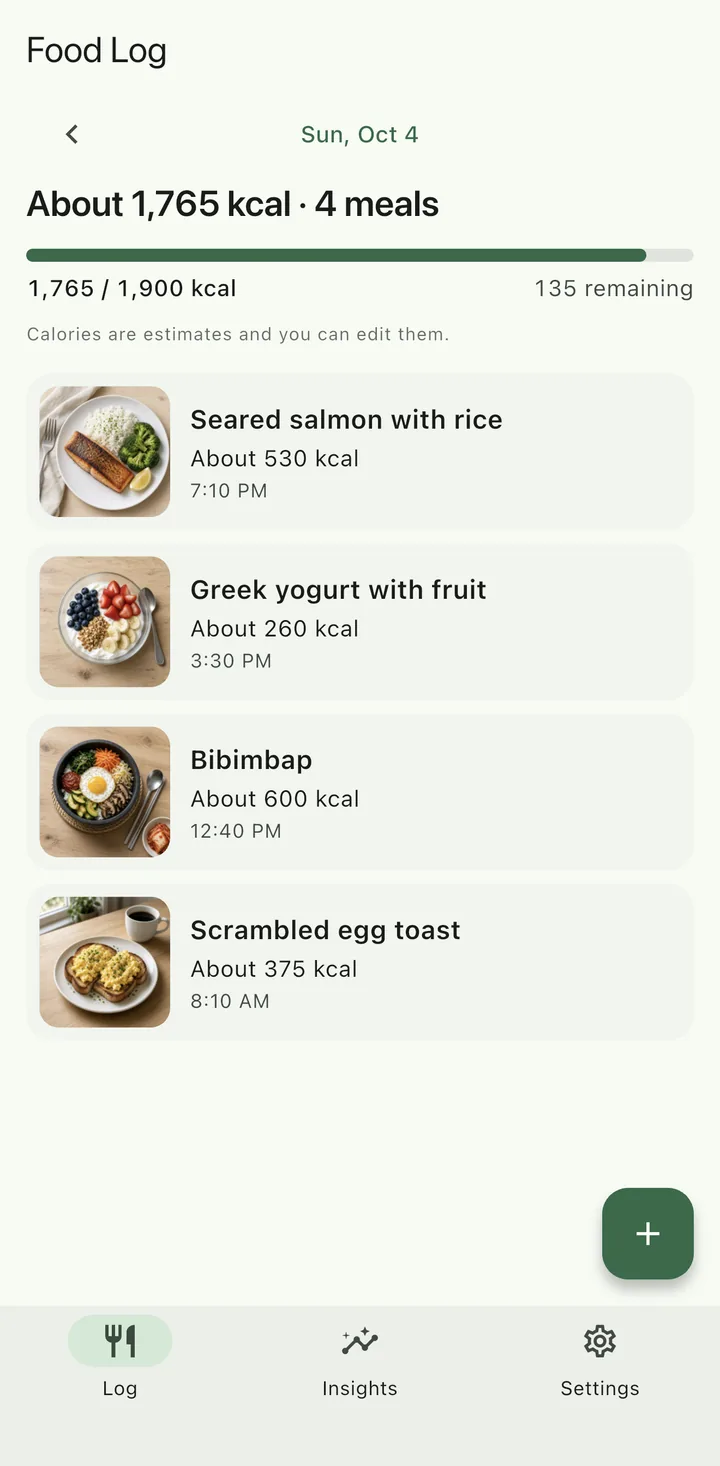
예시 기록 · 실제 앱 화면Sample data · Real app screen
앱 화면은 iPhone에서 캡처한 예시 기록입니다. 음식 사진은 AI로 만든 홍보용 예시 이미지이며, FoodLog 앱이 만든 이미지가 아닙니다. App screens are iPhone captures with sample data. Food photos are AI-generated sample images for this page, not images made by the FoodLog app.
기록 과정How it works
세 단계로 남기는 한 끼A meal logged in three steps
AI는 출발점을 만들고, 기록을 완성하는 것은 직접 확인한 내용이에요.AI gives you a starting point. You check it and decide what gets saved.
-
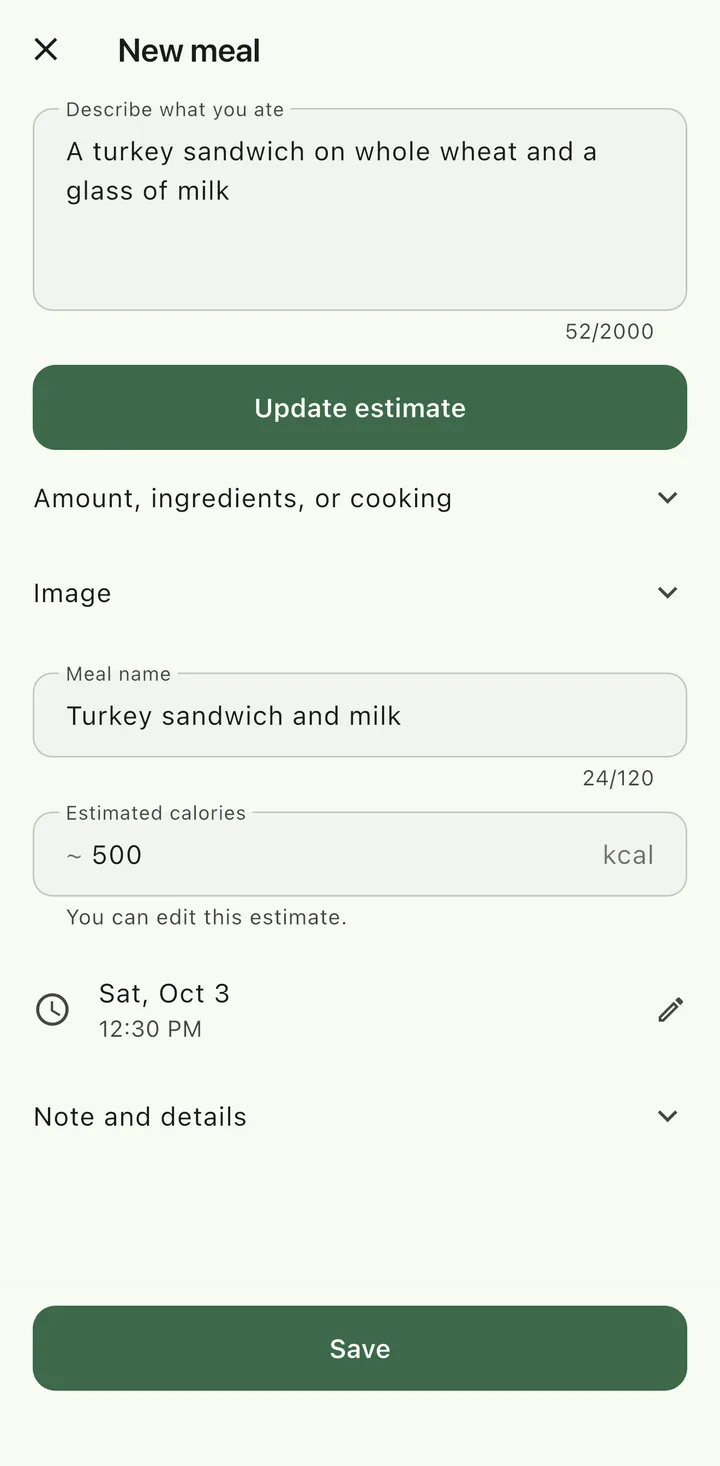
사진이나 짧은 설명으로 시작Start with a photo or a few words
식사를 찍거나 앨범에서 사진을 고르세요. 사진이 없으면 먹은 음식을 짧게 적어도 돼요.Take a photo of your meal or pick one from your library. No photo? Describe what you ate in a few words.
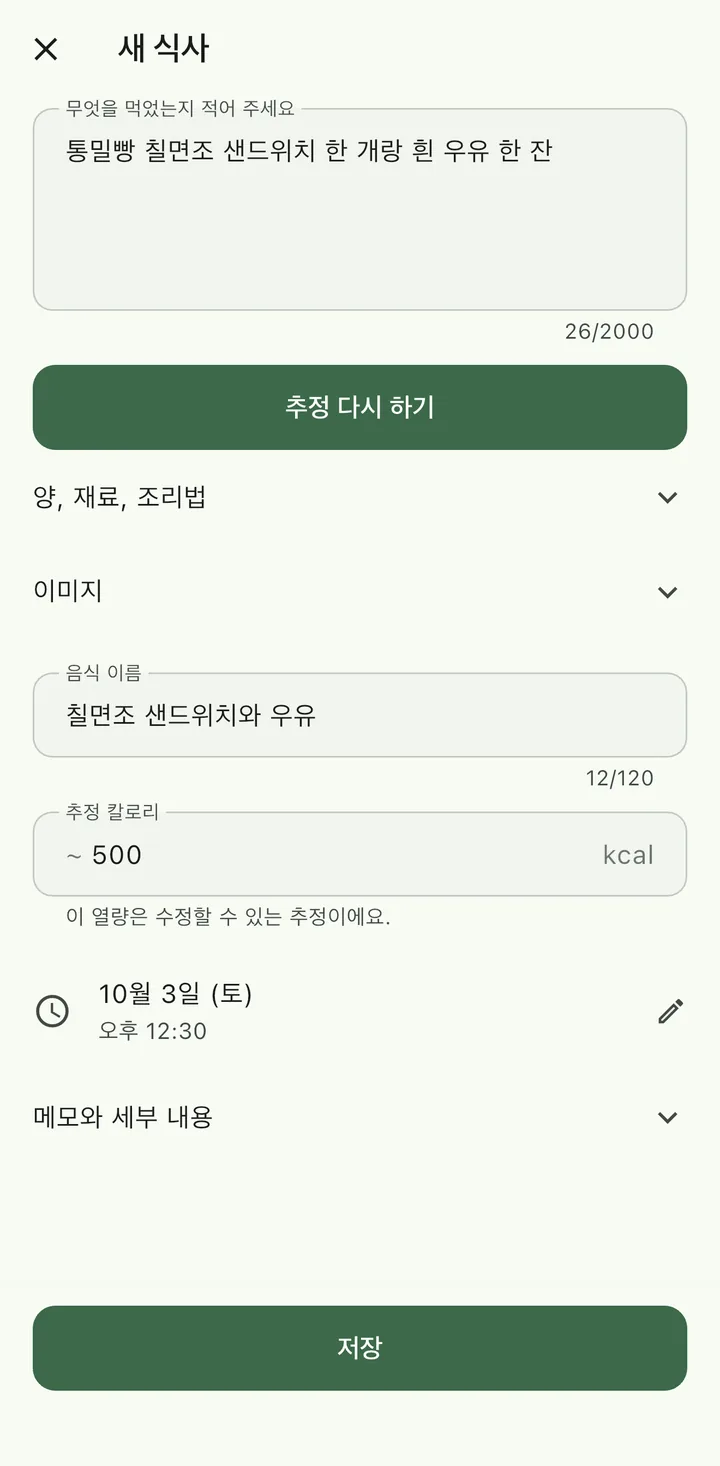
-
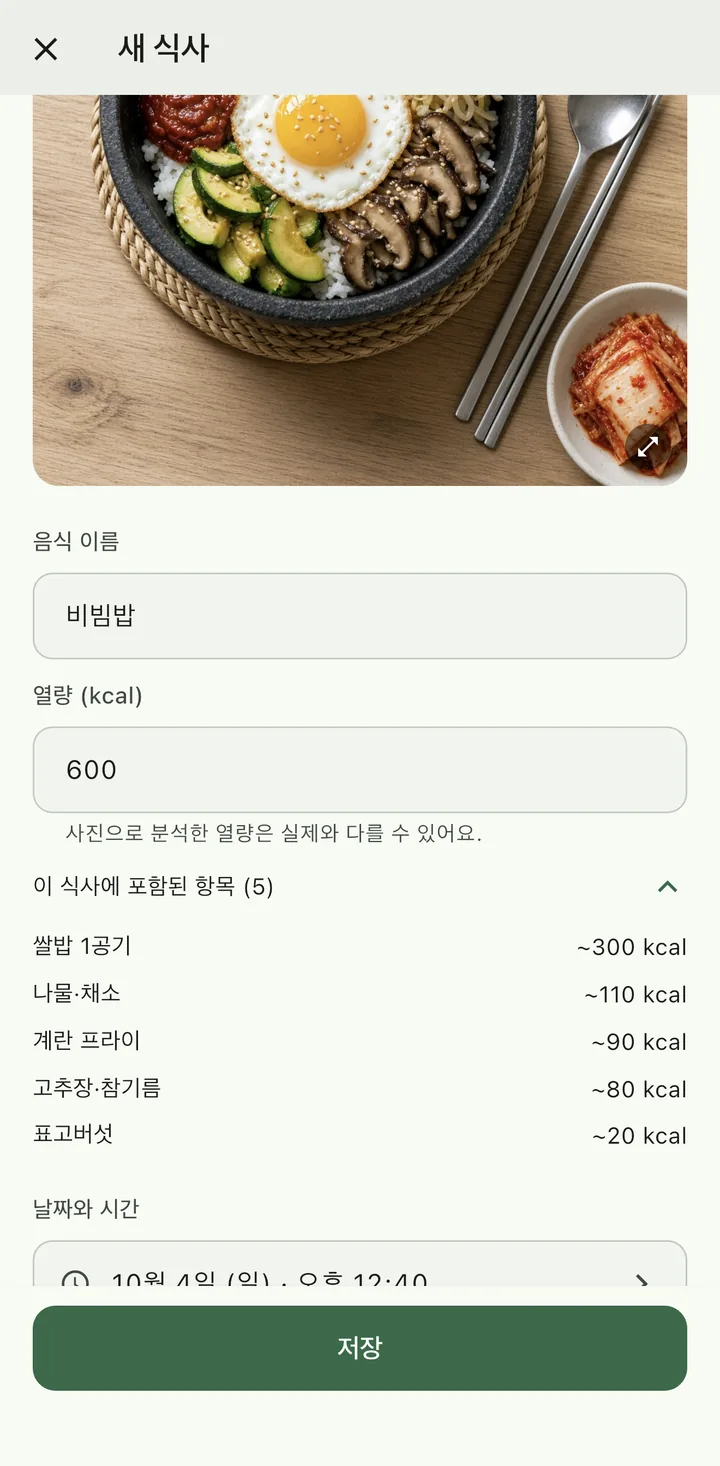
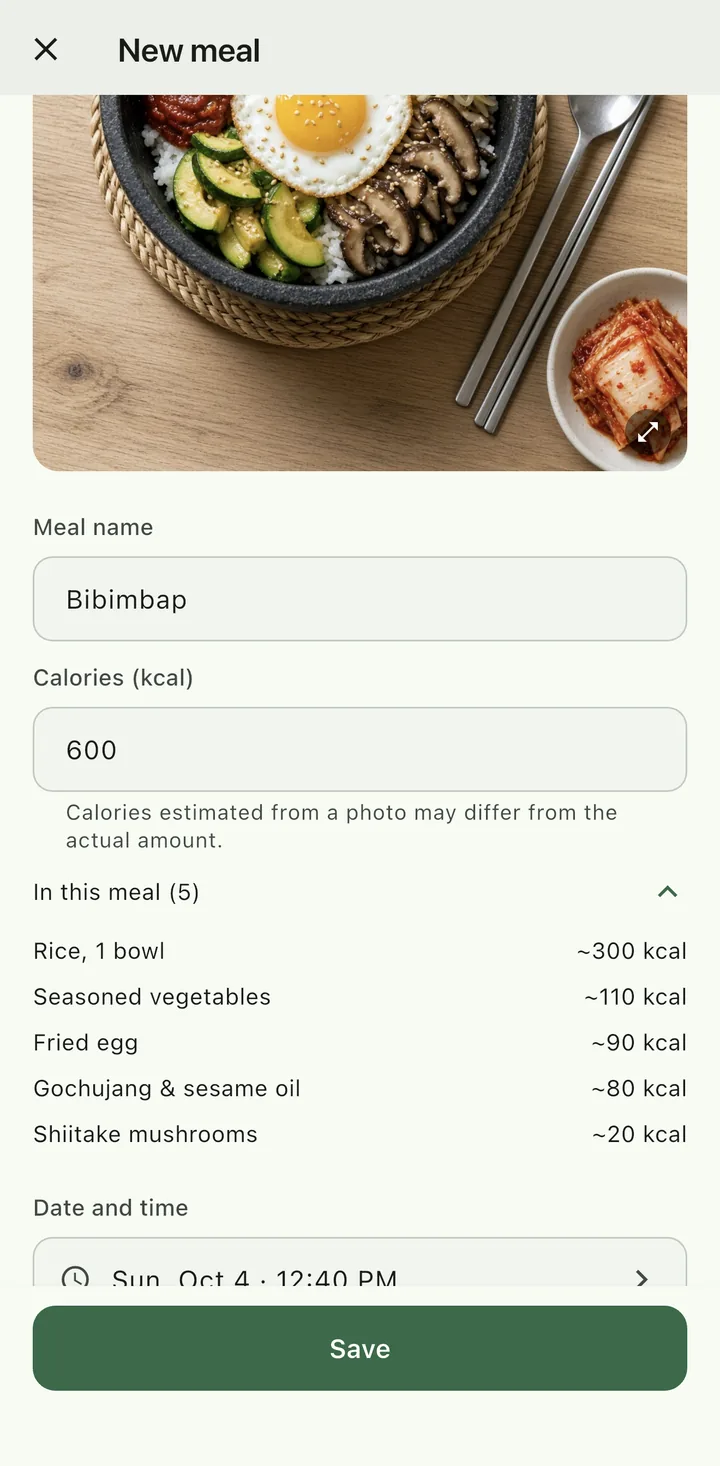
AI 추정 확인Review the AI estimate
AI가 음식 이름과 대략적인 열량을 추정해요. 사진 예시처럼 항목별 추정도 함께 보며, 실제와 다를 수 있다는 점을 확인하세요.AI suggests a meal name and approximate calories. As in this photo example, you can see a rough breakdown, and estimates can differ from the actual amount.
-
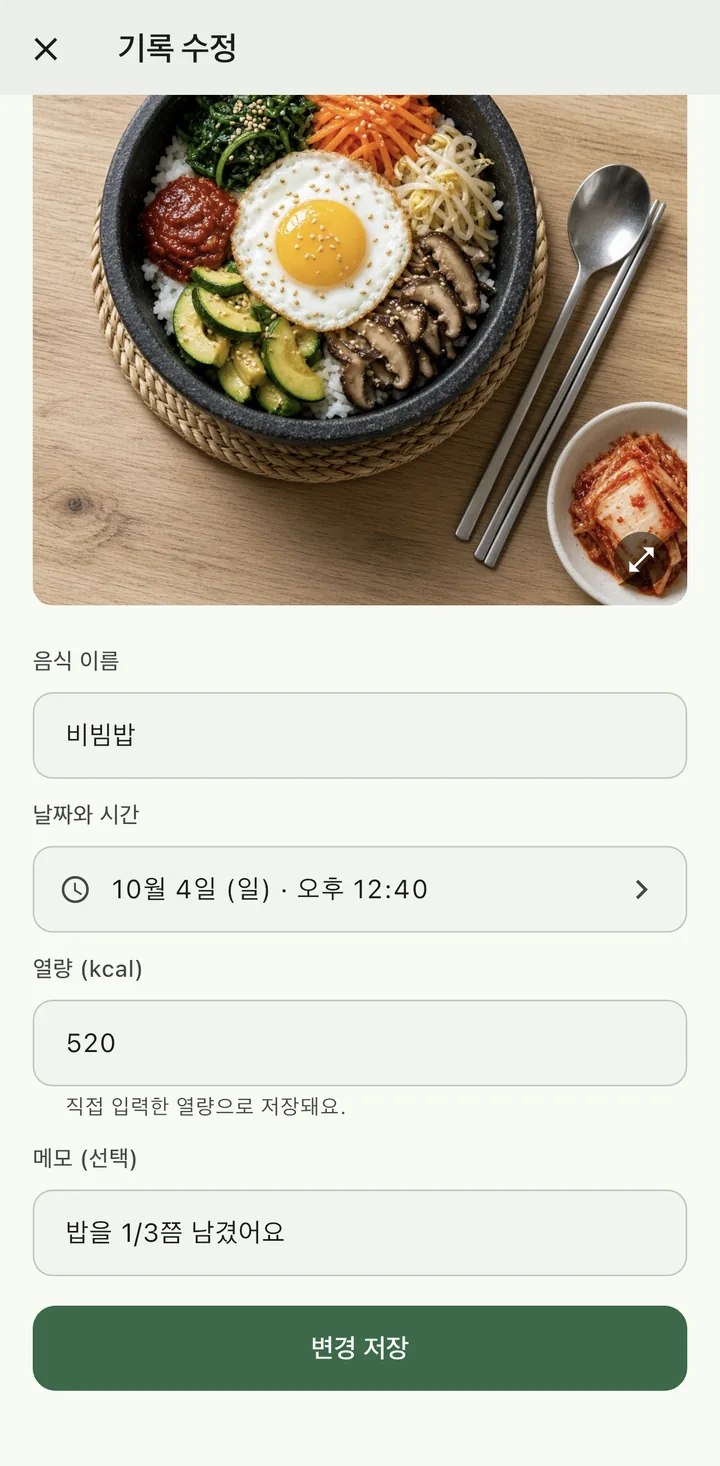
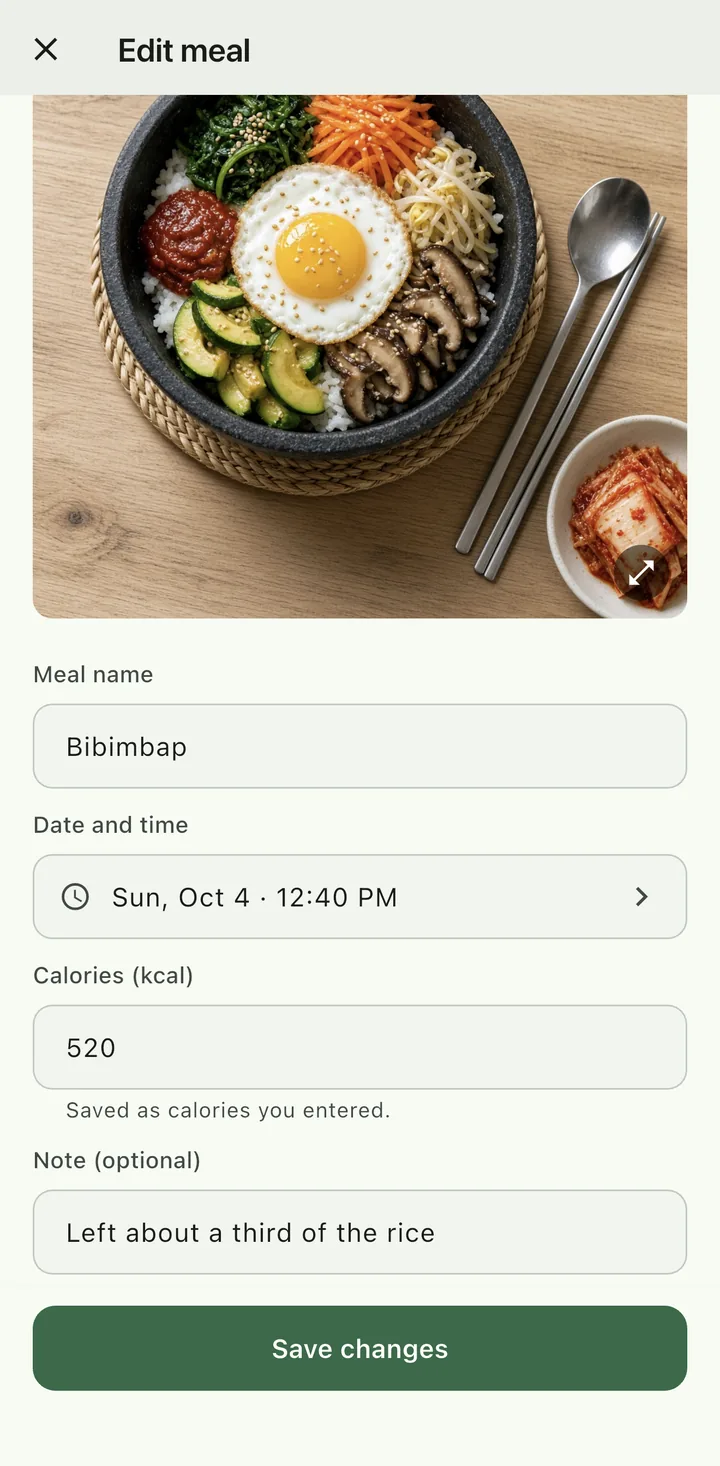
내 식사에 맞게 고쳐서 저장Adjust it to your meal and save
밥을 남겼거나 재료가 다르면 이름·열량·메모를 고쳐 저장하세요. 저장한 기록도 나중에 다시 고칠 수 있어요.Left some rice or swapped an ingredient? Edit the name, calories, and notes before you save, or come back and change them later.
기능 소개Features
기록하고, 돌아보고, 다시 쓰기Log, look back, and log again
-
사진으로 식사 기록 시작Start from a photo
찍거나 고른 식사 사진으로 AI 추정을 시작해요.Take or pick a meal photo to start an AI estimate.
화면 보기See the screen -
사진이 없으면 짧은 설명으로No photo? Describe it
먹은 음식을 몇 단어로 적으면 열량을 추정해요.Write a few words about what you ate to get an estimate.
화면 보기See the screen -
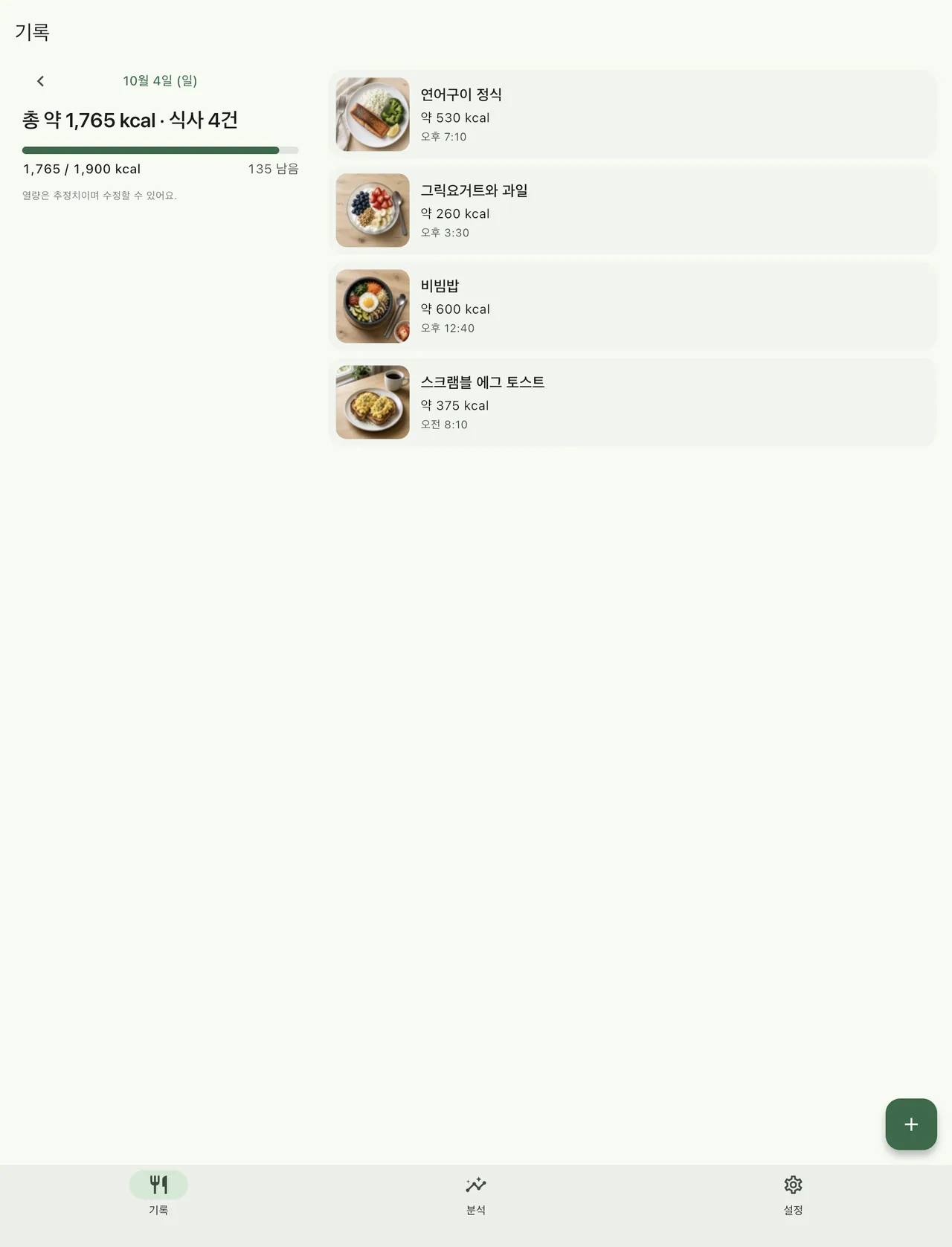
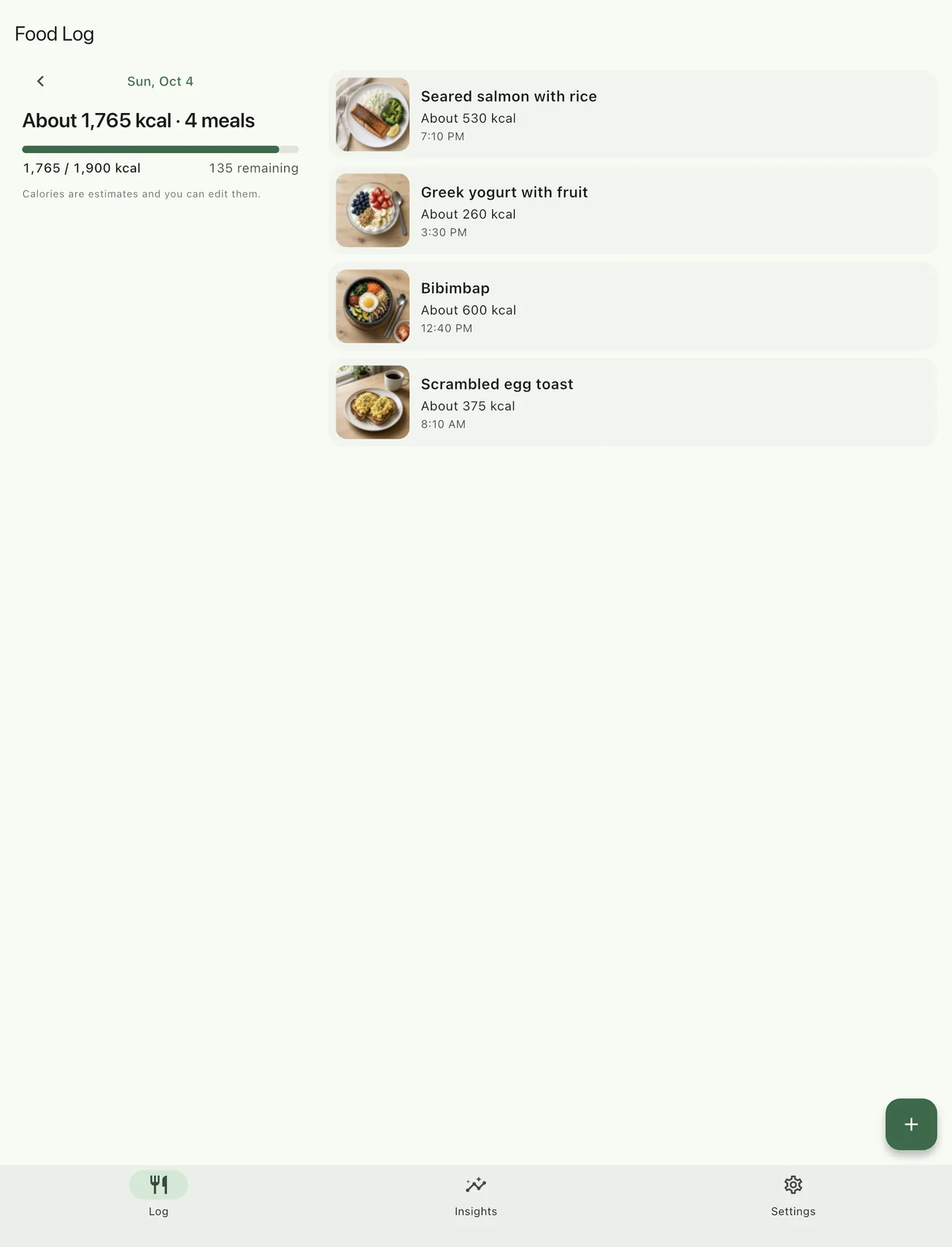
하루 식사와 열량을 한눈에Your day at a glance
식사별 사진·시간·열량과 하루 합계를 함께 봐요. 목표 칼로리를 정하면 남은 양도 보여요.See each meal’s photo, time, and calories with your daily total, plus what’s left if you set a target.
화면 보기See the screen -
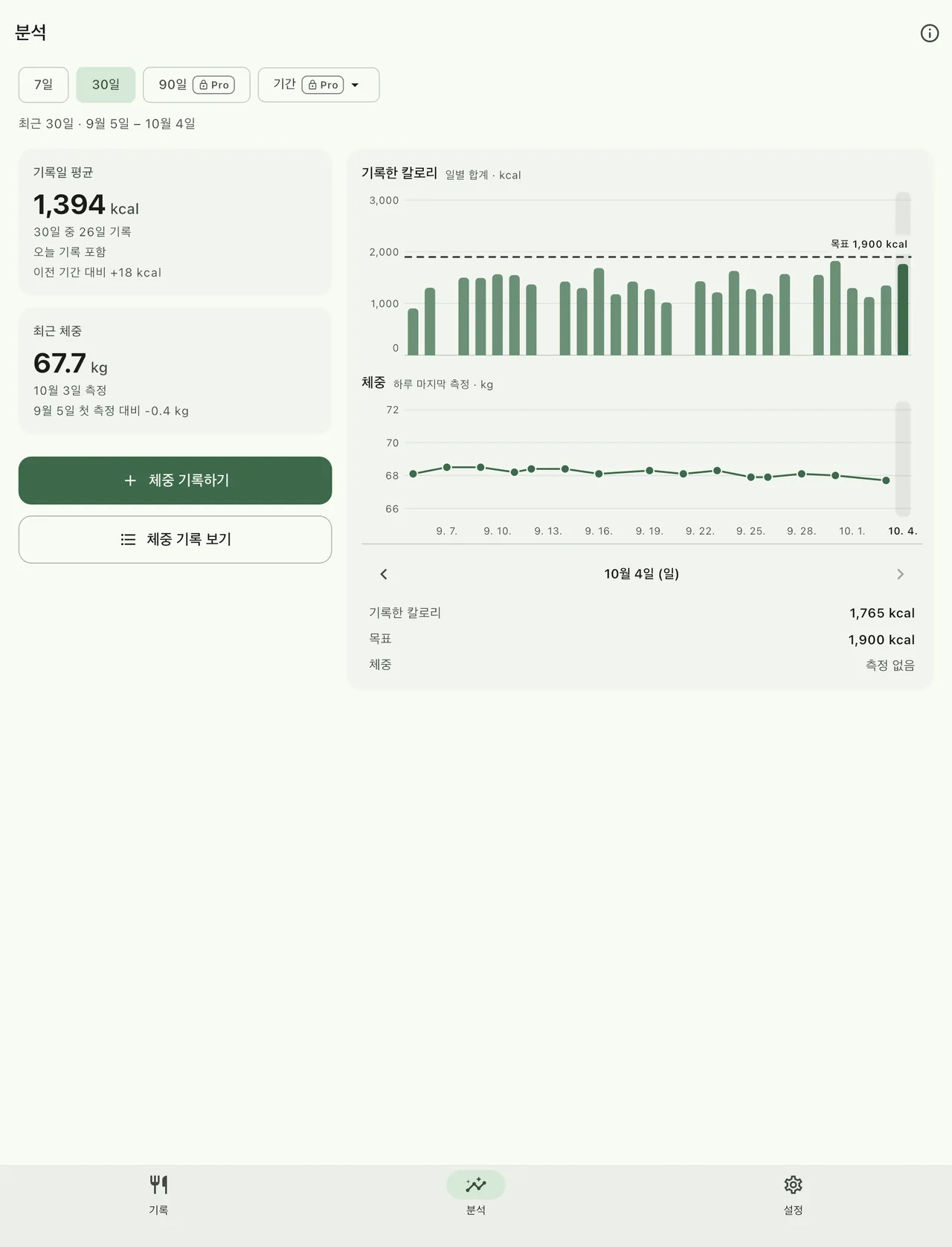
기록된 열량과 체중 추세Calorie and weight trends
기록한 날의 열량과 체중 측정을 같은 날짜 축에서 돌아봐요.Look back at recorded calories and weight on the same timeline.
화면 보기See the screen -
이름·열량·메모 수정Edit name, calories, and notes
추정된 값은 출발점이에요. 내 식사에 맞게 직접 고쳐요.An estimate is a starting point. Change it to match your meal.
화면 보기See the screen -
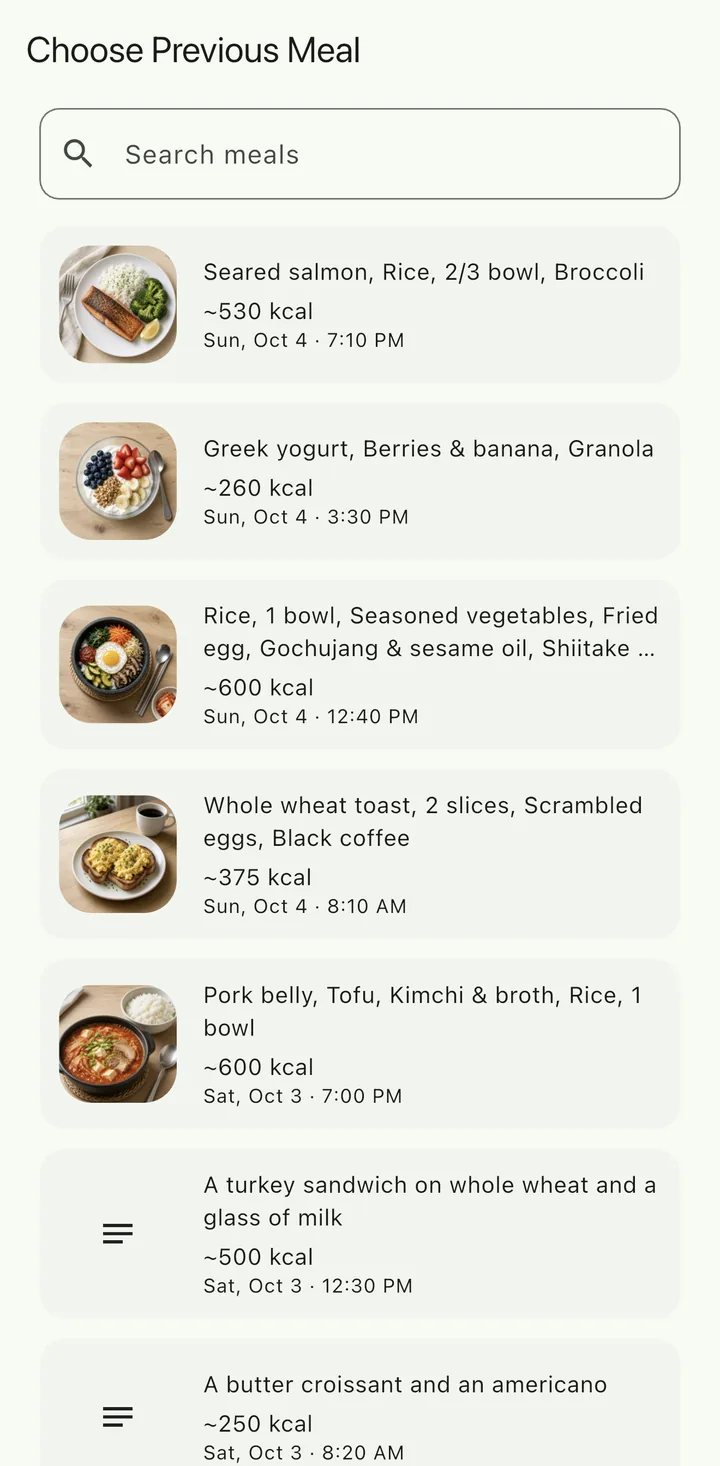
이전 식사를 골라 다시 기록Log a previous meal again
자주 먹는 식사는 목록에서 골라 새 기록으로 추가해요.Pick a meal you’ve logged before and add it as a new entry.
화면 보기See the screen
앱 화면Screens
쌓인 기록을 돌아보는 화면Screens for looking back
모두 실제 앱 화면이며, 60일 동안의 예시 기록을 넣어 캡처했어요.All real app screens, captured with 60 days of sample records.
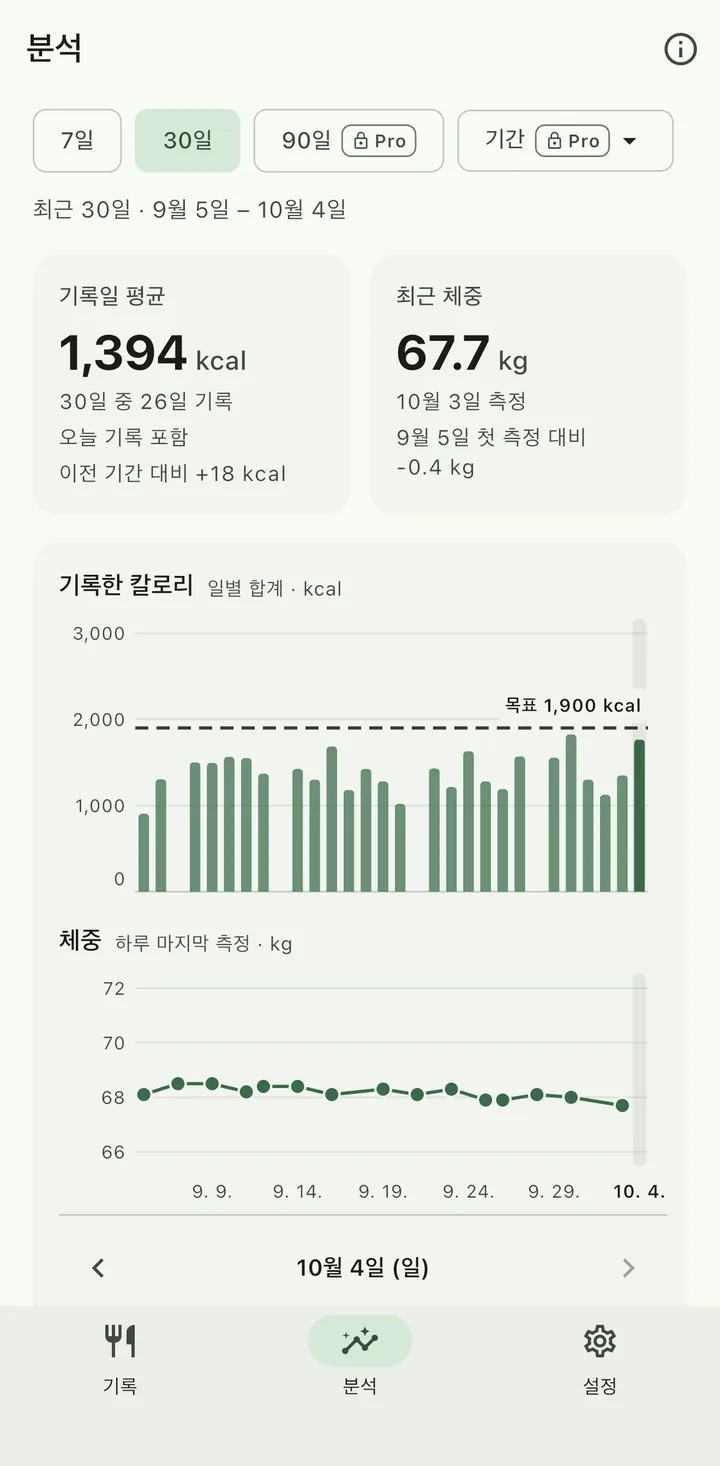
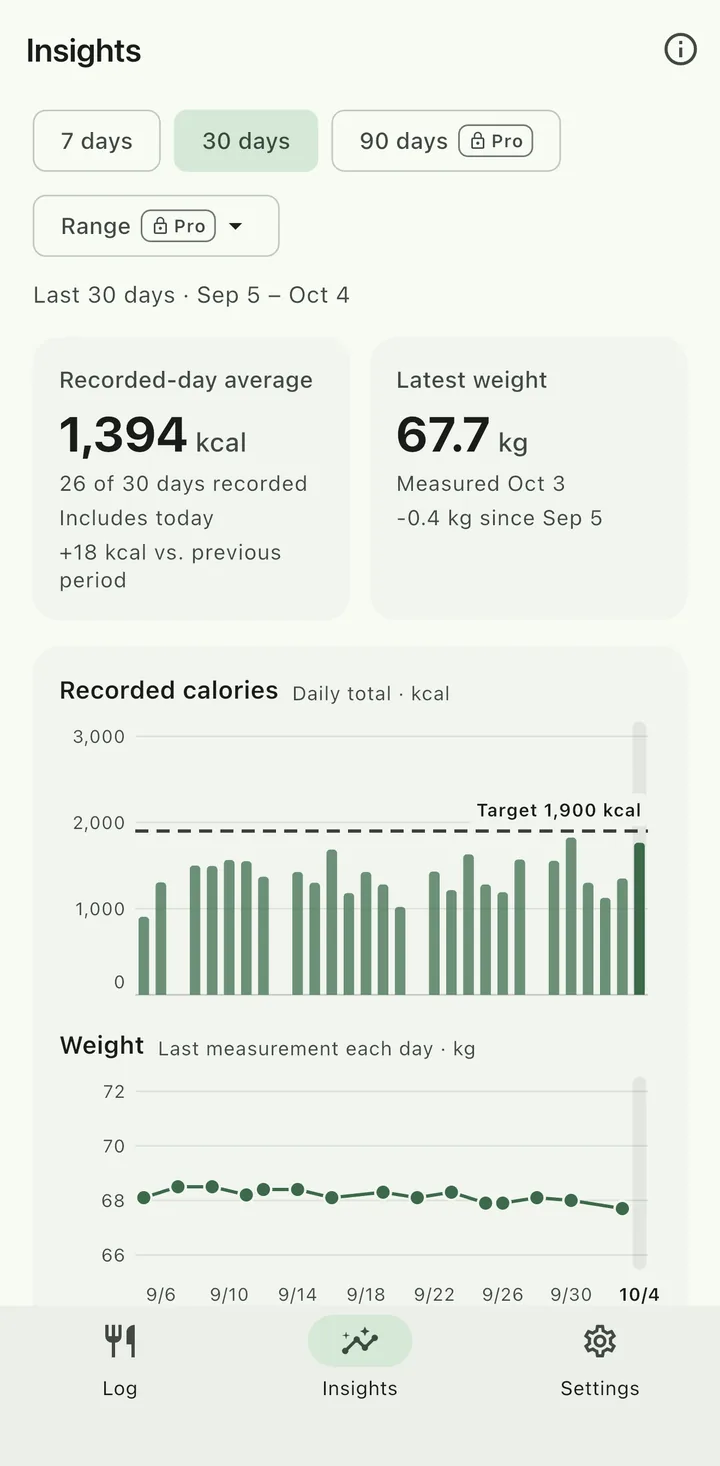
기록된 열량과 체중을 함께Recorded calories and weight, together
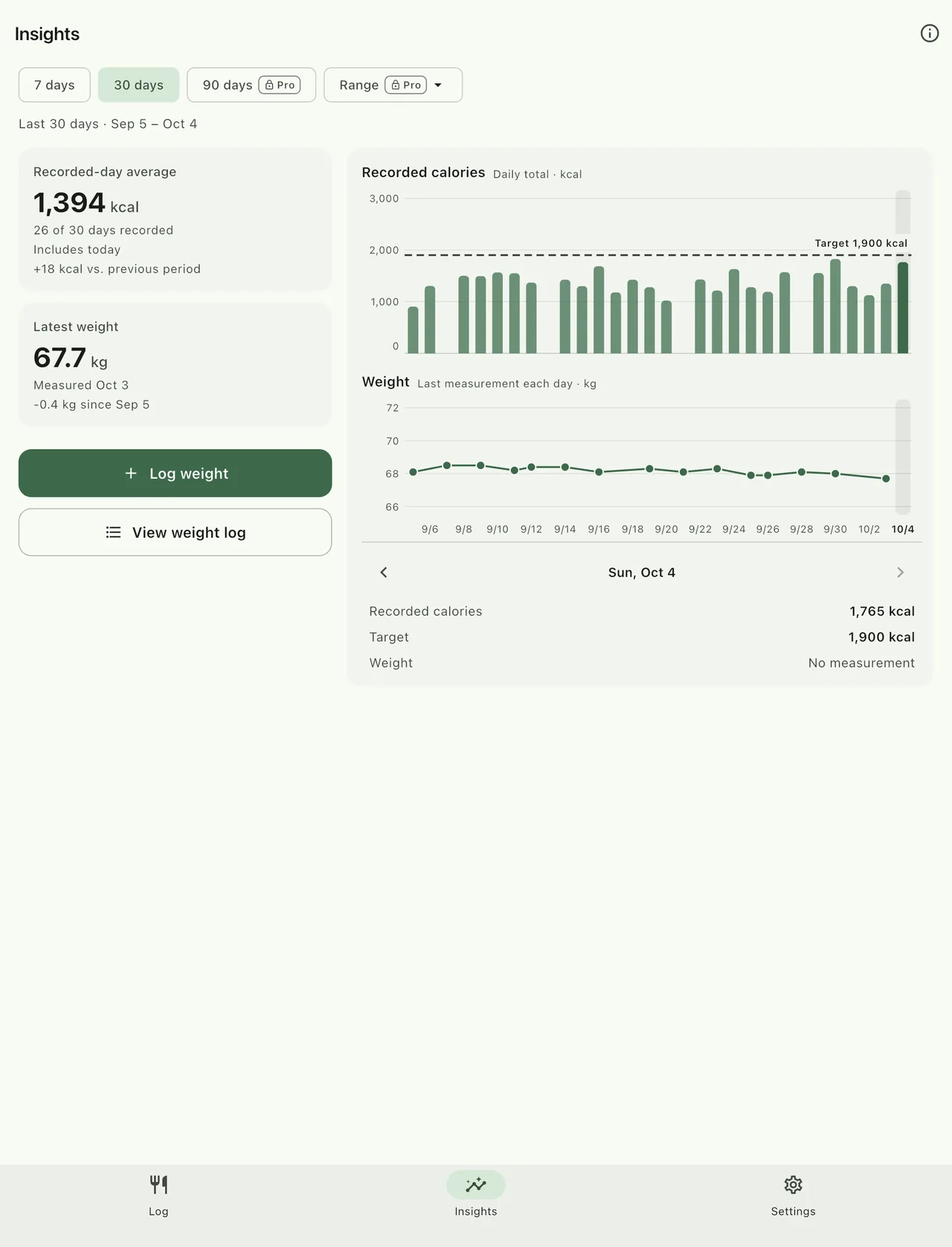
분석 화면은 기록한 날의 평균 열량, 날짜별 막대, 그날 마지막 체중 측정을 같은 날짜 칸에 맞춰 보여 줘요. 기록하지 않은 날은 0으로 계산하지 않아요.Insights lines up the recorded-day average, daily calorie bars, and each day’s last weight on the same dates. Days you didn’t log aren’t counted as zero.
최근 7일·30일 보기는 무료이고, 90일·기간 선택은 FoodLog Pro에서 열려요.The 7- and 30-day views are free. 90 days and custom ranges come with FoodLog Pro.
추세는 내 기록을 돌아보기 위한 것이며, 체중 변화나 감량 효과를 약속하지 않아요.Trends are for looking back at your own records. They don’t promise weight change or weight loss.
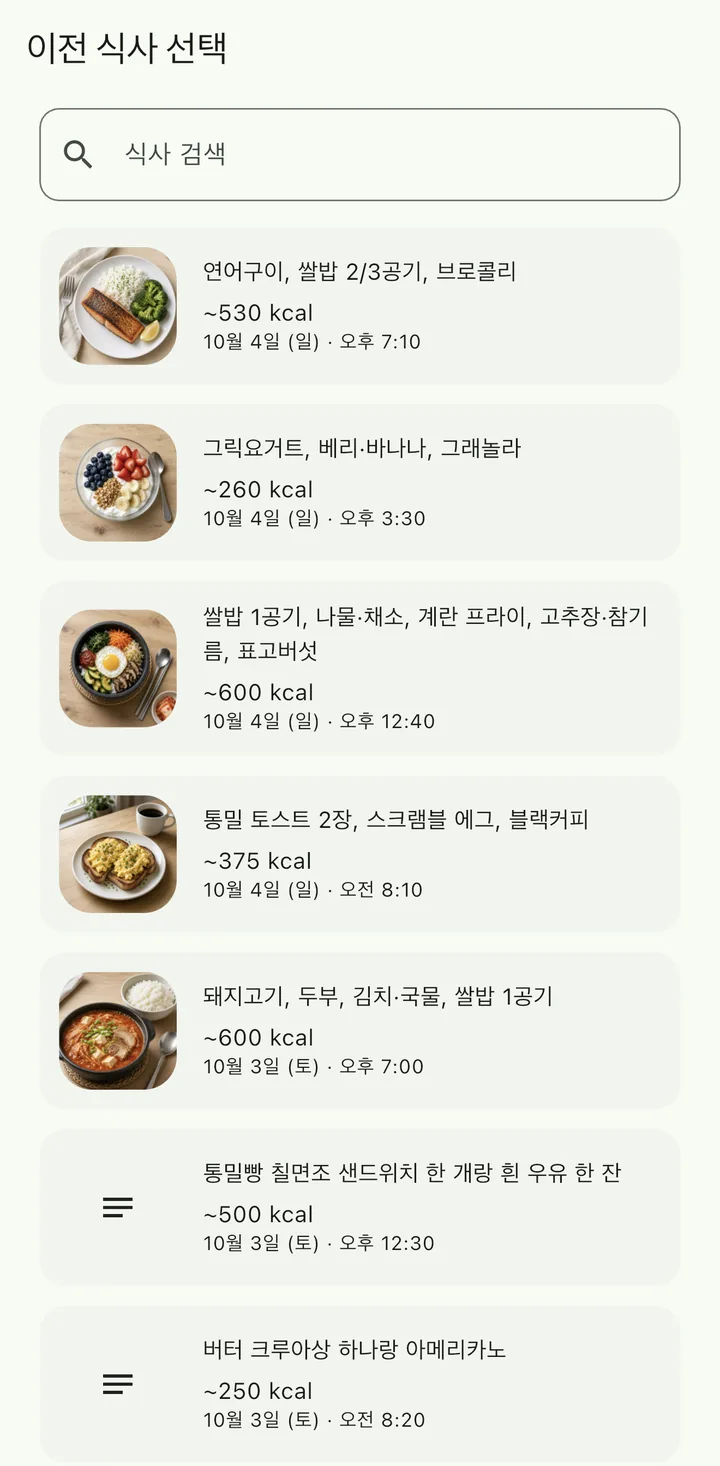
자주 먹는 식사는 다시 고르기Pick familiar meals again
이전 식사 목록에서 검색하거나 골라 새 기록으로 추가해요. 원래 기록은 그대로 남아요.Search or scroll your previous meals and add one as a new entry. The original stays as it was.
iPad에서는 넓게 나란히Side by side on iPad
iPad에서는 휴대폰 화면을 늘리지 않고, 하루 요약과 식사 목록, 요약 카드와 차트를 두 칸으로 나눠 보여 줘요.On iPad, FoodLog doesn’t just stretch the phone layout. The day summary sits beside the meal list, and summary cards sit beside the charts.
내 기록을 직접 관리Your records, your call
열량은 추정치, 기록은 내가 정해요Calories are estimates. The record is yours to decide.
FoodLog의 열량은 대략적인 추정치예요. 저장하기 전에 확인하고, 저장한 뒤에도 언제든 고칠 수 있어요.Calorie numbers in FoodLog are approximate estimates. Check them before you save, and edit them any time after.
-
AI는 요청할 때만AI runs only when you ask
추정이나 삽화를 직접 시작할 때만 동작하고, 처음 쓸 때 AI 이용 동의를 따로 물어요. AI를 쓰면 입력한 사진이나 설명이 추정을 위해 OpenAI로 전송돼요. AI 없이 직접 입력해 기록할 수도 있어요.AI works only when you start an estimate or an illustration, and the app asks for AI consent separately the first time. When you use it, the photo or description you entered is sent to OpenAI for the estimate. You can always log by typing it in yourself.
-
건강 관련 정보 저장 동의Consent for health-related records
식사·체중 같은 기록을 계정에 처음 저장하기 전에 별도로 동의를 받아요. AI 이용 동의와 함께 설정 > 데이터 및 개인정보 > 개인정보 및 AI 이용에서 철회할 수 있어요.Before your first meal or weight record is saved to your account, the app asks for separate consent. You can withdraw it, along with AI consent, in Settings > Data & privacy > Privacy & AI use.
-
내보내기Export
식사와 체중 기록을 기간과 이미지 포함 여부를 골라 파일로 내보낼 수 있어요. 체험이 끝나거나 구독이 만료돼도 쓸 수 있어요.Export your meals and weight to a file, choosing the date range and whether to include images. It stays available after a trial or subscription ends.
-
계정 삭제Account deletion
앱 설정에서 계정과 기록을 삭제할 수 있어요. 계정 삭제는 스토어 구독 해지와 별개예요.Delete your account and records from the app’s settings. Deleting your account does not cancel a store subscription.
자세한 내용: 개인정보처리방침 · 건강정보 처리 안내 · 계정 삭제 안내 Details: Privacy Policy · Consumer Health Data Privacy Notice · Delete your account
무료와 ProFree and Pro
기본 기록은 무료, AI는 체험과 Pro로Core logging is free. AI comes with a trial and Pro.
무료Free
- 식사·체중 직접 기록, 보기, 수정, 삭제Log meals and weight yourself, then view, edit, or delete them
- 최근 7일·30일 분석7- and 30-day insights
- 데이터 내보내기와 계정 삭제Export your data and delete your account
- 광고 없음No ads
새 계정은 7일 동안 AI 음식 분석 10회, AI 삽화 3회를 써 볼 수 있어요. 카드 등록이 필요 없고 유료로 자동 전환되지 않아요.New accounts get a 7-day trial with 10 AI food analyses and 3 AI illustrations. No card needed, and it doesn’t turn into a paid plan.
FoodLog Pro
- 결제 기간마다 AI 음식 분석 120회, AI 삽화 30회 (쓰지 않은 횟수는 이월되지 않음)120 AI food analyses and 30 AI illustrations each paid period (unused counts don’t roll over)
- 90일·1년·전체 기간 분석90-day, 1-year, and all-time insights
- 월간 또는 연간 자동 갱신 구독. 연간도 횟수는 약 한 달마다 다시 열려요.Monthly or annual auto-renewing subscription. On the annual plan, the allowance still refreshes about once a month.
가격·기간·갱신 조건은 결제 전에 App Store 또는 Google Play가 표시해요. 구독이 끝나도 저장한 기록의 보기·내보내기·삭제는 그대로예요.The App Store or Google Play shows the price, period, and renewal terms before you pay. After a subscription ends, you can still view, export, and delete your saved records.
AI 삽화는 기록용 그림이에요. 실제 식사 사진이 아니며 양이나 재료의 근거, 열량 계산에 쓰이지 않아요.An AI illustration is a picture for your log, not a photo of the meal. It isn’t evidence of portion or ingredients and isn’t used to calculate calories.
다운로드Download
FoodLog 다운로드Download FoodLog
한국어와 영어를 지원합니다. 만 14세 이상 이용할 수 있으며, Apple 또는 Google 계정으로 로그인합니다.FoodLog supports English and Korean. It is for ages 14 and older, and you sign in with Apple or Google.
-
App Store
iPhone · iPadiPhone · iPad
App Store 출시 예정Coming soon to the App Store
-
Google Play
Android 휴대전화·태블릿Android phones and tablets
Google Play에서 다운로드Get it on Google Play
Android 버전은 Google Play에서 다운로드할 수 있습니다. iPhone·iPad 버전은 출시 예정입니다.Download the Android version on Google Play. The iPhone and iPad version is coming soon.